


Content Planner + AI Notion Template
Content Planner + AI Notion Template
Welcome to our Content Planner + AI Notion Template!
This all-in-one template can help all types of content creators organize their posts, social media platforms, and more. It includes pre made templates for different kinds of content, task manager, content calendar, contacts tracker, and even planning & review.
This template also features AI prompts, AI Skills, and an AI Agent instructions page that will help you to generate content, ideas, and help you edit and move your tasks forward.
Couldn't load pickup availability
Note: You must have a plan with Notion AI (Business/Enterprise) to make full use of this template. Affiliate link for a free business plan trial with AI: https://affiliate.notion.so/p4lj8y63lmn2 (Limited to business emails & no prior paid Notion plan) By using this link you help support me and my content!
If you'd like to use the non-AI version of this template it is available here!
Preview Link:
What is included?
-
Identity + Vision: Clarify your brand foundation in one place like your mission, values, voice, audience, offers, content pillars, and overall direction, so every post stays consistent and aligned.
-
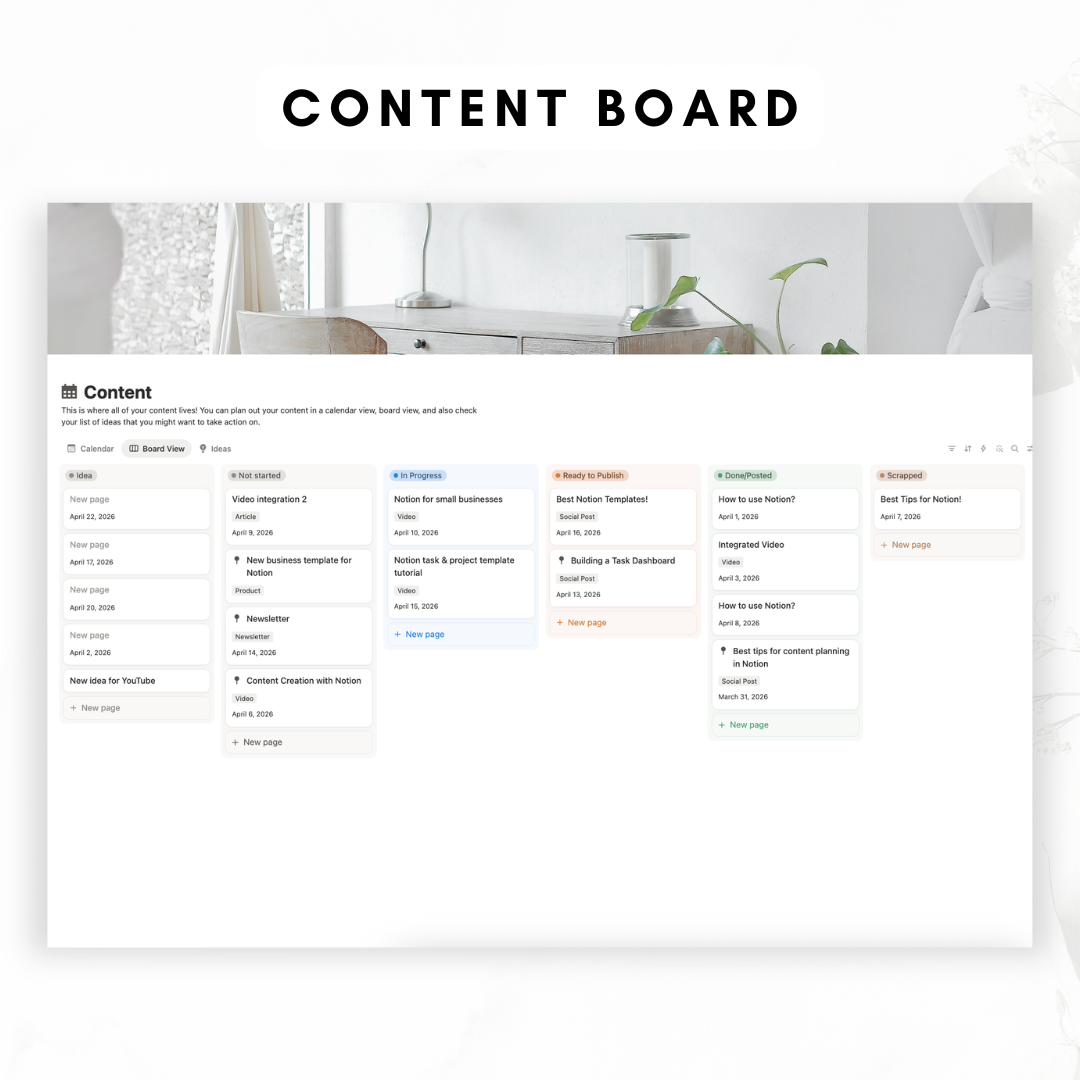
Content Calendar (Publishing Schedule): Plan every post in one place using calendar + board views so you always know what’s going out and when.
-
Platforms: Store each platform you publish to (YouTube, TikTok, Instagram, Pinterest, X, etc.). Open any platform to see everything connected to it such as planned content, ideas, and saved resources.
-
Content Ideas (Brainstorming): A dedicated space to capture ideas as they come, and pull from them anytime you need to plan.
-
Content Database: Keep all content details in one place like scripts, captions, outlines, hooks, assets to film, links, and more, connected directly to your platforms and task list.
-
Task Manager: Track everything you need to do to publish (and run your business). Link tasks to specific content so nothing slips through the cracks this is perfect for editing, filming, emails, admin, and beyond.
-
Favorite Creators: Save and reference creators you love for inspiration, learning, and trend tracking, so your ideas stay fresh and aligned with what’s working.
-
Assets (Resource Library): Store reusable files and content assets (brand elements, templates, links, b-roll notes, downloads, etc.) so they’re easy to find when you’re creating.
-
Contacts: Keep a list of collaborators, brands, clients, or partners, ideal for sponsor tracking, and managing your contacts.
-
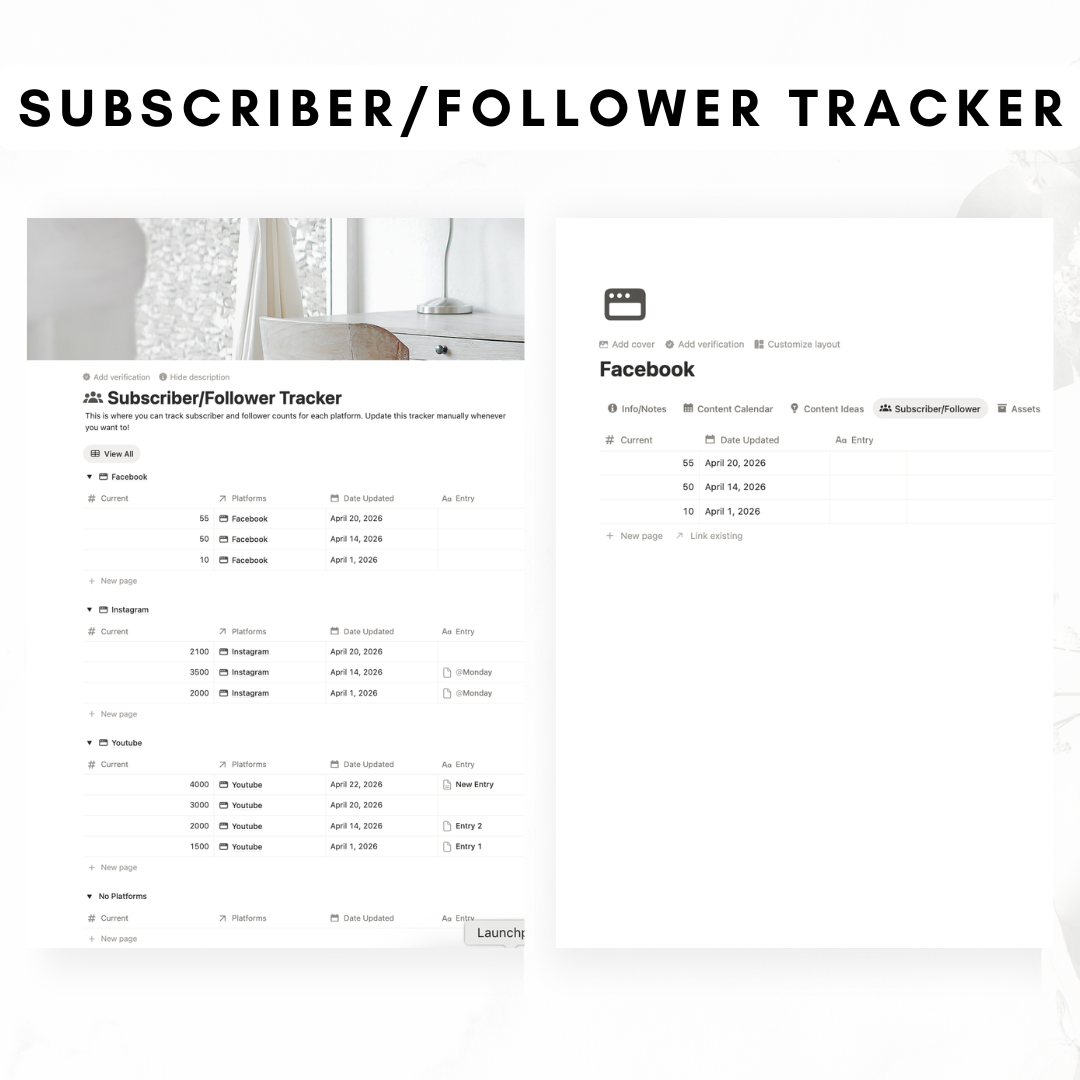
Subscriber / Follower Tracker: Track growth across platforms over time so you can measure progress.
-
Plan & Review: A space to reflect, review performance, and plan what’s next, so your strategy stays intentional and improves month after month.
-
Content-Type Templates: Ready-to-use templates for common content types (ex: Long-Form Video, Short-Form Video, Carousel, Static Post, Newsletter/Email, Blog Post, Podcast, etc.) so you can duplicate a format and start creating immediately.
-
Dashboard View: A place where you can see statistics like how many pieces of content you published, tasks completed, percentage of content types, your follower/subscriber graph.
-
AI Assistance (Custom Prompts + Content-Type Templates): Includes custom AI prompts built directly into the workflow to help you create faster and stay consistent across platforms. You’ll find templates/prompts for different content types (long-form video, short-form video, carousel, static post, blog post, newsletter, etc.) that help generate hooks and titles, outlines/scripts/talking points, captions and hashtags, YouTube descriptions and tags, and more!
-
AI Skill Pack: A set of focused AI skills you can use to improve and polish content, including Brand Consistency Editor, Caption + Hashtags, SEO Checker, Clarity + Readability Editor, Title Checker, and Hook Strength Checker.
- AI Agent Instructions Page: A dedicated instruction page that controls how the AI should write for your brand (voice, tone, rules by platform like YouTube/Instagram/blog/newsletter, where generated content should be stored, and how content ideas should be generated and saved). This helps the AI stay consistent every time you use it inside the template.
-
Tutorial Video: A step-by-step tutorial video that walks you through how to use the entire planner and AI Features.
Disclaimer:
- This template is provided as-is, hence, the effectiveness of this template depends on how you design and utilize it.
- You must have a Notion business plan or enterprise plan to make full use of this template!
Share




FAQ
What is a Notion Template?
A Notion Template is a pre-designed layout in the productivity app Notion. It's customizable and can feature databases, kanban boards, and calendars to jumpstart your project or task.
Can I use Notion with a free account plan?
Yes, Notion offers a free basic plan that includes unlimited pages and blocks, share with up to 5 guests, and syncs across devices.
Missing the link to download?
If you have any trouble finding the link to the template after purchasing, please check our detailed FAQ here including a video guide.
What is your refund policy?
Since our templates are digital products, all sales are final. No refunds will be given once the templates have been downloaded. But if you have any problems with the products, please don’t hesitate to contact us at organizednotebook.info@gmail.com if you need any help. We also offer FREE 15-min Coaching Session to assist you further!
What to do if I’m new to Notion?
Follow our Youtube channel for the best tips and tricks to get started with Notion!